Folders become workspaces.
Add any local folder as a project. Grok runs in that directory, so your repository and the conversation stay naturally aligned.
Xnative turns the real Grok CLI into a focused Mac workspace for projects, conversations, live agents, files, and fast questions—without breaking your terminal workflow.
Free download · macOS 15+ · Not affiliated with xAI
The CLI, composed
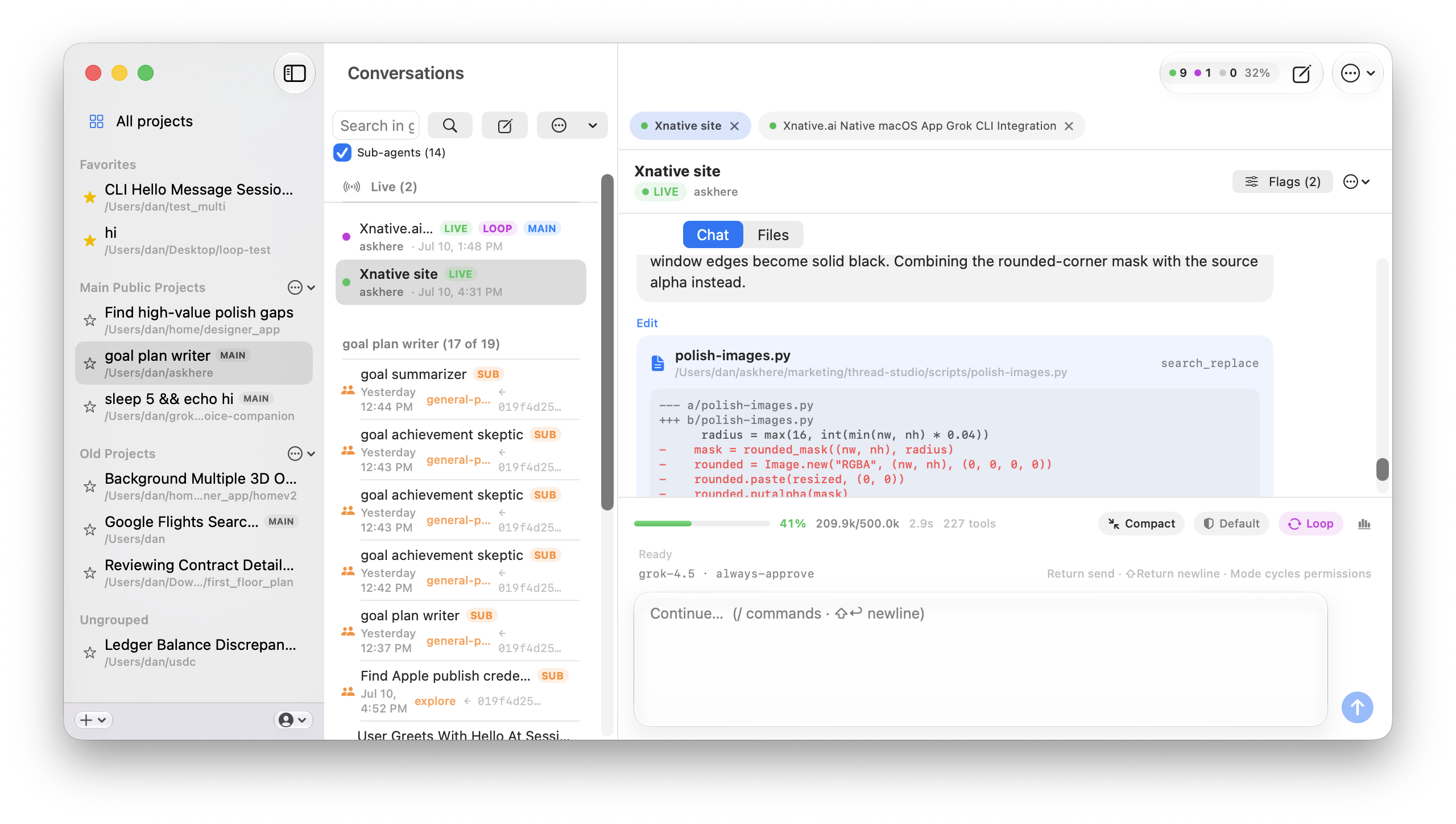
Xnative does not replace Grok Build. It gives the CLI a visual operating system—so the work stays compatible while the workflow becomes easier to see, steer, and resume.
Add any local folder as a project. Grok runs in that directory, so your repository and the conversation stay naturally aligned.
Search history, pin important work, watch live sessions, and reopen the same conversations the CLI already stores on disk.
See context usage, queues, loops, tool activity, model choice, and permissions without translating command-line flags in your head.
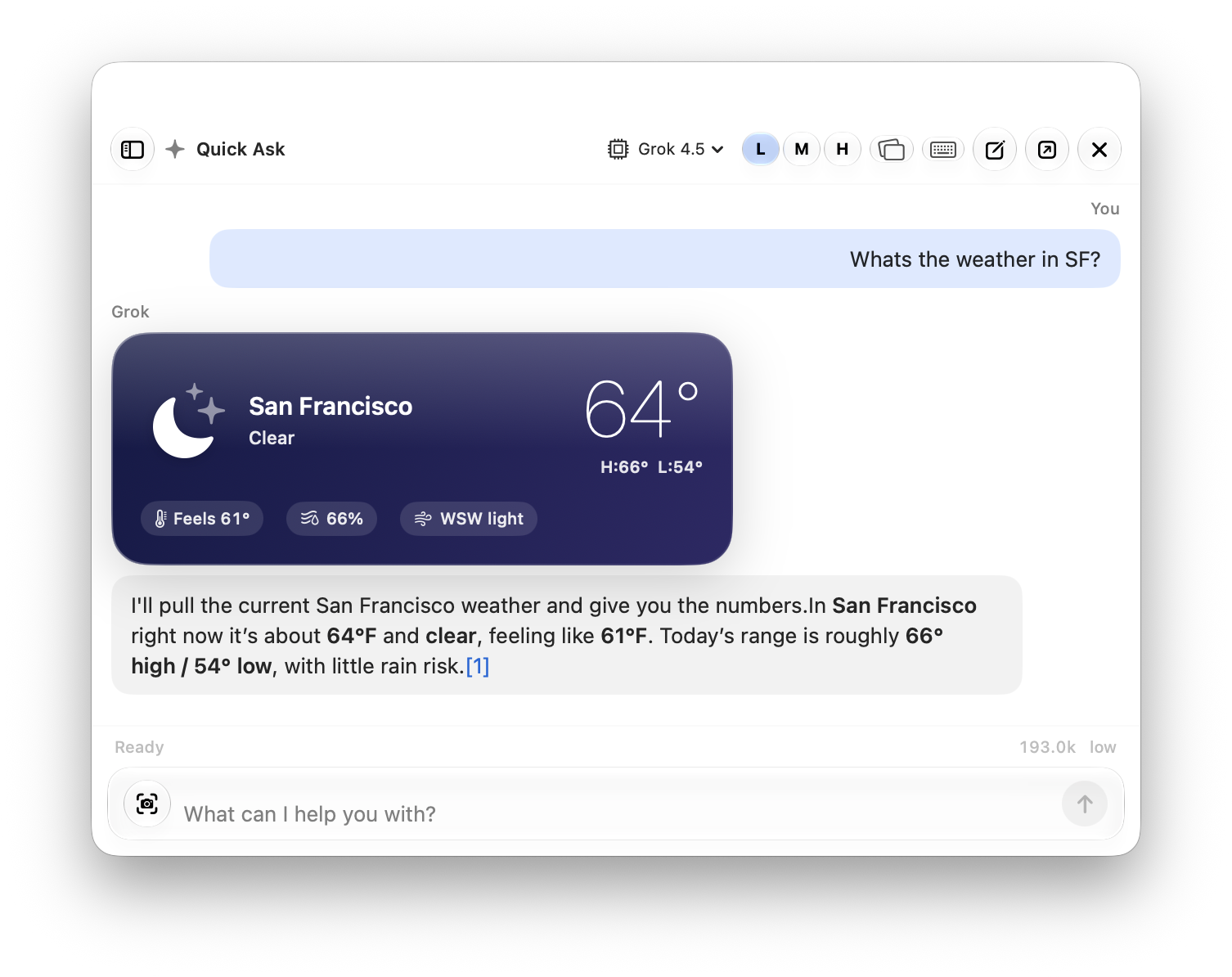
Quick Ask
Open a floating, non-disruptive chat from the menu bar or your chosen keyboard trigger. Ask, attach, capture, or resume—without leaving the app you are working in.
Depth when you need it
The details that make long-running work manageable are not hidden. Xnative turns them into controls you can understand at a glance.
Switch models per conversation, set reasoning effort, and manage the same model configuration used by Grok CLI—including custom and local endpoints.
Weather, markets, maps, system health, reminders, and more can render as glanceable SwiftUI cards—not walls of text.
Send another message while a turn is running and Xnative queues it. Compact long context, monitor loops, and see live state without guessing.
Browse project files, session context, attachments, and generated artifacts beside the conversation that created them.
A familiar mental model
No new platform to learn and no proprietary cloud history to migrate. Xnative organizes the local Grok workflow you already have.
Choose a folder on your Mac. That directory becomes Grok’s working context.
Ask naturally, attach references, choose flags, and let Grok use its tools.
Continue from Xnative or the terminal. The underlying CLI session stays the source of truth.

Independent Mac app
Xnative is free to download and requires no separate app account. It uses the Grok CLI installation and xAI account on your Mac, while reading conversation history from the CLI’s local session store.
Download Xnative and turn your existing Grok CLI workflow into a native Mac workspace.
Requires macOS 15 or later